Running a Free Local AI Coding Assistant on MacBook Air M4 (No API Keys, No Cloud)
I recently set up a fully local AI coding assistant on my MacBook Air M4 with 32GB RAM — no API costs, no data leaving my machine. Here's exactly how I did it.
Why Local LLM?
- Privacy: Your code never leaves your machine
- No API costs: Free after setup
- Works offline: No internet required
- No rate limits
The tradeoff: slower than cloud models (Claude, GPT-4), but surprisingly capable for daily coding tasks.
Hardware
- MacBook Air M4, 32GB unified memory
- 32GB is the sweet spot — enough to run a 30B parameter model comfortably
---
Models I'm Using
`qwen3-coder:30b` | 18GB | Complex coding tasks, architecture decisions |
`qwen2.5-coder:7b` | 4.7GB | Quick questions, fast edits |
---
Step 1: Install Ollama
Ollama(https://ollama.com) is the easiest way to run LLMs locally on macOS.
```bash
brew install ollama
```
Start the server:
```bash
ollama serve
```
---
Step 2: Pull the Models
```bash
ollama pull qwen3-coder:30b
ollama pull qwen2.5-coder:7b
```
`qwen3-coder:30b` is about 18GB, so grab a coffee while it downloads.
Verify:
```bash
ollama list
```
---
Step 3: VSCode Integration with Cline
Cline(https://cline.bot) is a VSCode extension that gives you an AI coding assistant similar to Cursor — but you bring your own model.
1. Install the Cline extension from the VSCode marketplace
2. Open Cline settings and configure:
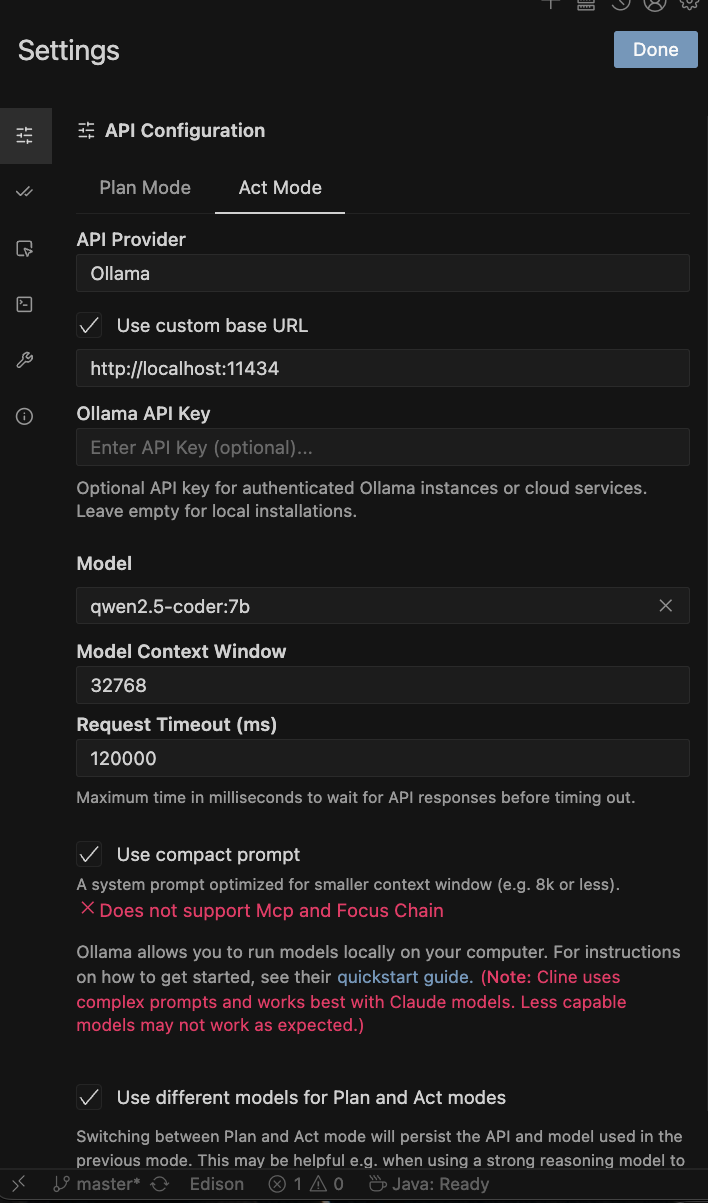
> Important* Enable "Use compact prompt" — it reduces the system prompt size significantly, which is crucial for local models with limited context.
Switch between models depending on task complexity. For simple edits, use `qwen2.5-coder:7b` for faster responses.
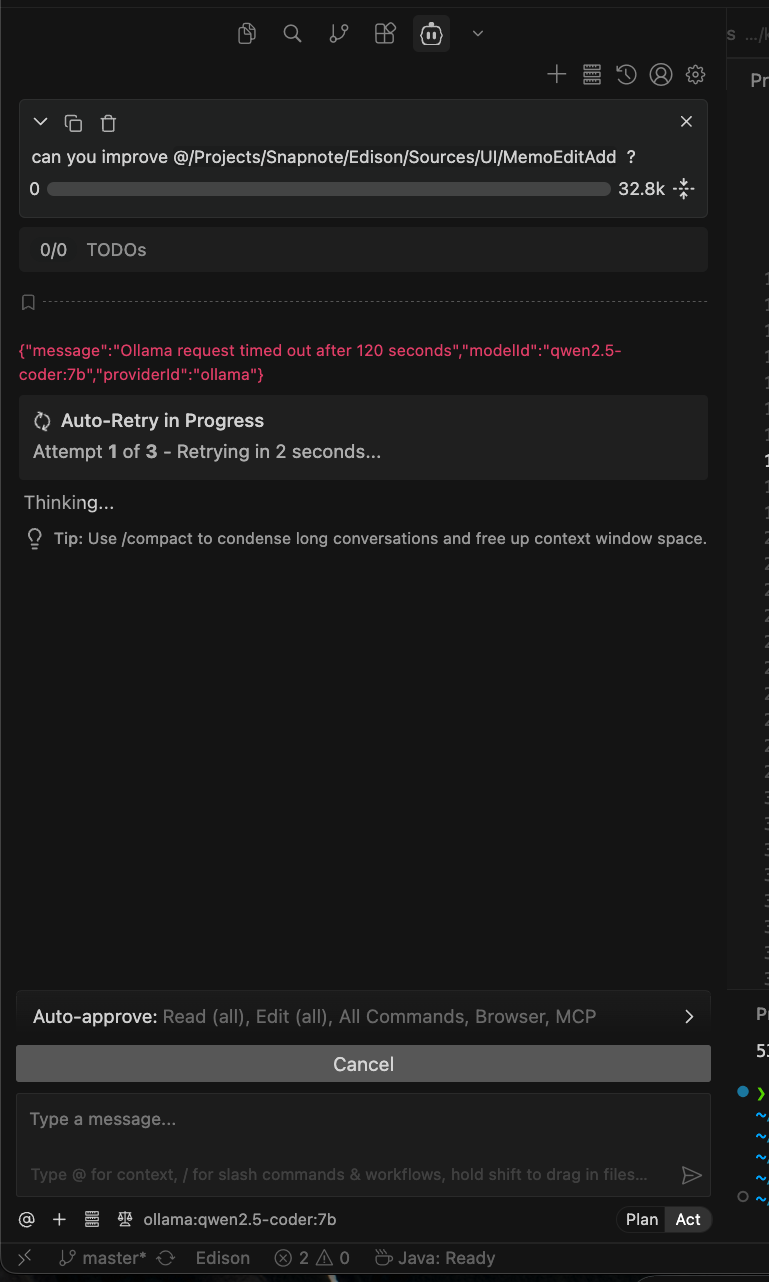
TO BE HONEST, Currently Qwen in local wasn't pretty working for me. Needs to figure out more later.
---
Step 4: Terminal CLI with Aider
For a Claude Code-like terminal experience, [Aider](https://aider.chat) is the best option.
```bash
brew install aider
```
Run it in your project folder:
```bash
# High quality (slower)
aider --model ollama/qwen3-coder:30b
# Fast (for quick tasks)
aider --model ollama/qwen2.5-coder:7b
```
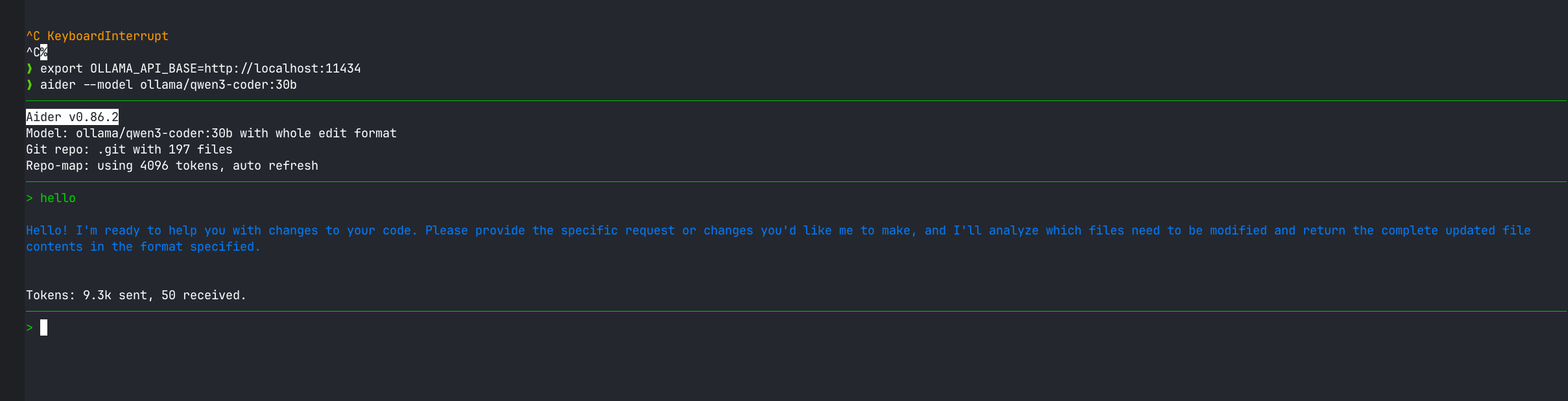
Aider directly edits your files, auto-commits to git, and lets you have a natural conversation about your codebase — just like Claude Code.
luckly Aider works
My Workflow
- Cline in VSCode: For in-editor AI assistance, code generation, and refactoring
- Aider in terminal: For bigger changes across multiple files
- Model switching: Complex tasks → `qwen3-coder:30b`, quick tasks → `qwen2.5-coder:7b`
---
Final Thoughts
The setup took less than 30 minutes and the result is a capable, private, free AI coding assistant. For anyone concerned about sending proprietary code to the cloud — or just tired of API bills — this is a solid alternative.